The Places You Will Go
Travel Blogging
from a standing start
A complete guide for people who have never done this before · version 1.5 · 30 July 2026

What this thing is
You are going somewhere. The people who love you would like to know where you are. This turns that into one web page, at one address, that fills itself in as you go.
Not a blog with a homepage and categories and an archive. One trip, one page. It has a map with your route drawn on it, a calendar of the days you were away, and your photographs and notes stacked up underneath in order. It knows which stop you are at right now and says so at the top, so somebody who opens it at breakfast can see where you were at bedtime.
The whole idea in four sentences
You buy one travelogue for $25. You give it a short name, which becomes its web address. Then, as you travel, you log moments — a place, a time, a photo, a few words. The page draws itself from those moments and never needs anything else from you.
There is no subscription and nothing recurring. Nothing expires while a ticket sits unused — the clock only starts when you post your first stop, so you can buy one in March for a trip in October and it will wait.
Go and look at some first. Open the-places-you-will-go.com/examples before you read any further. There are five there: one trip that is happening as you read it, two that are finished, and two that have not started yet. Five minutes with those will teach you more than this whole chapter.
1 Getting your travelogue
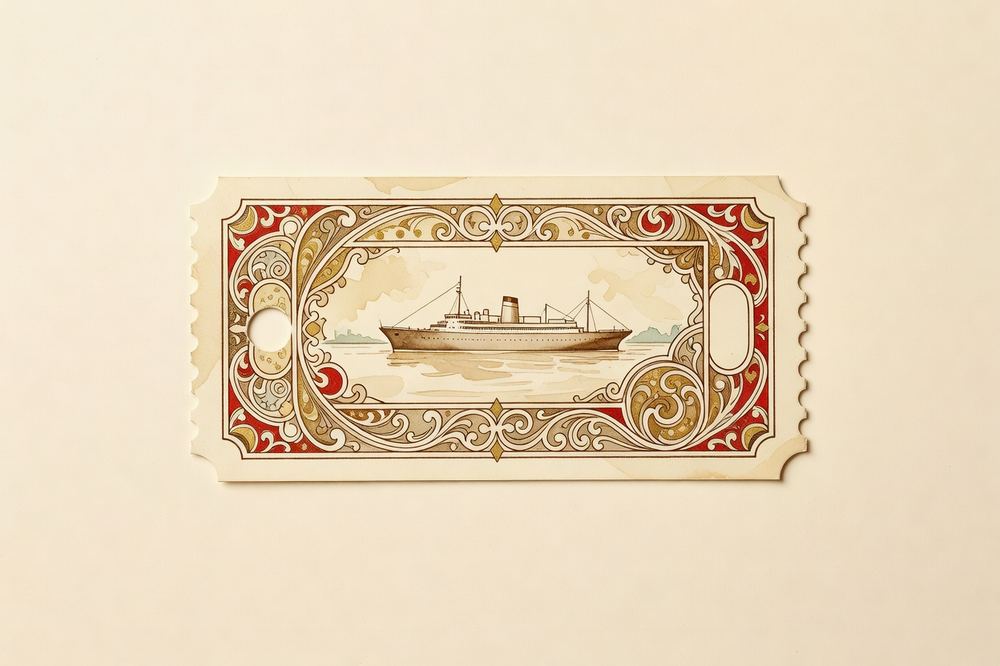
Everything starts with a ticket. A ticket is not the travelogue yet — it is the right to make one. It is printable, it can be given away, and whoever is holding it owns it. There are four ways to end up with one.
a. Buy one for yourself
- Go to the-places-you-will-go.com and press START YOUR TRIP — $25.
- The checkout page opens with FOR MYSELF already chosen. There is nothing to type. Press PAY $25.00.
- You are handed to Stripe to enter your card. Your card details never touch this site.
- You come back to a form that asks you to name the travelogue. That form is the step that actually creates it — see "Naming it" below.
Nothing is emailed to you
When you buy a travelogue for yourself, no receipt, no confirmation and no copy of the ticket is sent anywhere. The page in front of you is the only record. Bookmark it before you navigate away.
b. Buy one as a present
On the checkout page press AS A GIFT. Four boxes appear: their name, your name, a line to be printed on the ticket in handwriting, and their email — which is optional.
- With their email: they are sent the ticket. The subject line will read "<your name> has issued you a ticket", or "You have been issued a ticket" if you left the From box empty.
- Without their email: nothing is sent. You get a ticket you print, fold into a card, and hand over. The code on it is the whole thing — whoever holds it can start the journey.
None of the four gift boxes is compulsory. Leave them all blank and you will buy a real, working, completely anonymous ticket whose "Bearer" and "Issued by" lines print as a dash. Fill them in.
c. A free link somebody posted
A link shaped /p/something gives away a fixed number of travelogues. Open it, see how many are left, make an account (email, a password of at least 8 characters), and press CLAIM MINE. One per person.
These links only work in lower case. /p/holiday24 works; /p/HOLIDAY24 quietly shows the homepage instead.
d. A gift link somebody texted you
A long link shaped /g/<a-long-string>. It shows who sent it and their note, asks you to make an account, and hands the journey straight over. No email address needs to change hands.
Naming it — the step that creates the travelogue
However you got your ticket, you end at the same short form. It asks for three things and they all matter.
| Box | What to put | The rules |
|---|---|---|
| Site name | The short word in your web address. marias-big-year becomes /sites/marias-big-year. | Lower-case letters, numbers and hyphens, 3–40 characters. It is typed for you in lower case as you go, and anything else — spaces, apostrophes — silently becomes a hyphen. |
| Trip title | The proper name, in plain English, with punctuation. Maria's Big Year — Europe by Rail. | Required, up to 120 characters. |
| Passphrase | How you get back in to write. Choose something you will still know in four months. | At least 8 characters. Only appears if you are not signed in to an account. |
Choose the name carefully — you cannot change it later
Neither the site name nor the trip title can be edited anywhere in the app once the travelogue exists. If you get the title wrong you will need to email seansp@saasaas.llc. Type it slowly.
Some names are refused because the site uses them itself: admin, api, sites, site, www, app, assets, static, images, checkout, claim, login, logout, help, about, terms, privacy.
About that ticket code
It is shaped TPYWG-XXXX-XXXX. It is forgiving about how you type it: capitals, spaces, missing hyphens and a missing TPYWG- prefix are all fine. It contains no letter O and no letter I, deliberately, so they cannot be confused with zero and one — if you type I or 1 it is read as L. A typed O or 0 is rejected, because there is no safe guess.
Lost the code? At the bottom of the redeem page there is "Lost the code you were given?" and a Send it again link. It only ever posts to the address the ticket was originally sent to.
2 Your log book
Your travelogue has two addresses and it is worth learning the difference now.
| /sites/your-name | The public page. What everybody else sees. Share this one. |
| /admin/your-name | The log book. Where you write. Only you get in. |
You do not have to remember the second one. When you create the travelogue you land in it, and if you have an account, /me lists every travelogue you own with an EDIT button beside it.
Getting in
The log book asks for your passphrase. If you have an email account on the site there is a second button, SIGN IN WITH AN ACCOUNT, which skips the passphrase entirely.
A lost passphrase cannot be recovered by anybody, including the person who runs the site
It is stored scrambled. It can be replaced if you can prove the travelogue is yours — email seansp@saasaas.llc — but nobody can look it up and tell you what it was. If you made an account, attach the travelogue to it (chapter 7) and you have a spare key.
"Forgot your password?" on the sign-in page resets your account password. It has nothing to do with a travelogue's passphrase. Those links last 45 minutes and work once.
The tour
The log book is one long page of boxes, top to bottom:
- The status card — is the journey live, and how long has it been quiet.
- Look & feel — the four looks, and a live preview.
- What appears on the page — nine switches for the sections readers see.
- Closer-in views — extra detail pages for knots of nearby stops.
- Who can edit it — attaching the travelogue to your account.
- Link preview — the picture that shows when you paste the link.
- Who can see it — the visitor passcode.
- How you travel — invent your own ways of getting about.
- Log a moment — the form you use every day.
- The manifest — everything you have logged, with edit and remove.
Boxes 2 to 8 are set-up. You touch them once, at the start, and then forget them. Boxes 9 and 10 are the actual job. Scroll straight past everything else.
Why everything is SHOUTING
The log book prints its headings, labels and buttons in capitals as a design choice, even though they are written in ordinary sentences underneath. In this guide button names are written the way you will see them — ADD TO THE ROUTE — so you can match them by eye. Match the words, not the shouting.
3 Logging your first moment
A moment — also called a stop — is one entry. The whole travelogue is nothing but a list of them. The form has eight boxes and exactly one of them is required.
| Box | Required? | What it does |
|---|---|---|
| Place * | Yes | Where you were. The house style is city, then a dash, then the specific spot: Bangkok — Chatuchak Market. Up to 200 characters; longer is refused outright. |
| Date & time | No | The single most important optional box. It sets the order, decides past vs. future, and drives the countdown. See the warning below. |
| Photo | No | One picture per moment. JPEG, PNG, WebP or GIF, up to 8 MB. |
| Latitude / Longitude | No | Puts the pin on the map. Both or neither — half a pair refuses the whole save. You rarely type these; see below. |
| How you got here | No | Plane, train, car, boat, bike, motorcycle, on foot, or one you invented. Changes how the line is drawn. |
| This is where the journey starts | No | Tick it on the one stop that is home. Only one moment can hold it. |
| Notes | No | The prose that appears under the photo. Read the warning about length. |
Fill in what you have and press ADD TO THE ROUTE. The form empties itself and a small muted line appears beside the button: ✓ Logged · 12 stops · 4,318 mi. That is your confirmation. (It is brown, not green — do not go hunting for a green tick.)
Three things that will catch you out
- No date means "not on the trip". Leaving Date & time empty does not file the moment under today — it takes it off the timeline entirely. It will not appear on the calendar, will not count toward your statistics, will never be your current position, and will be collected at the bottom of the page under "Not on the route".
- Long notes are cut off silently. Anything past 4,000 characters is thrown away on save with no error and no warning — the moment reports success and the tail of your writing is simply gone. There is no counter. For a very long entry, keep a copy elsewhere, or split it across two moments.
- iPhone photos are often refused. The picker will happily let you choose a HEIC file, and then the save fails with "Photo must be JPEG, PNG, WebP, or GIF." Export or convert as JPEG first.
Getting the pin on the map without typing numbers
Type the place name first, then press the small red link under the coordinate boxes: look up coordinates from the place name. It fills both boxes for you and reports back — looking…, then found — check the pin after saving, or not found — enter coordinates manually.
Take its advice and check the pin. It takes the first search result, so "Springfield" will land somewhere confident and wrong. The lookup asks OpenStreetMap directly from your browser, so it can also be blocked or offline, in which case you type the numbers by hand.
A moment with no coordinates is still perfectly valid. It appears in the log, the calendar and the itinerary — it just never appears on the map, and its card is stamped NO FIX.
"How you got here" means how you arrived
This is the one that everybody gets backwards. The travel mode belongs to the stop you arrived at, and it styles the line running into it. To make the flight from Seattle to Tokyo look like a flight, set Plane on the Tokyo stop.
Each mode draws differently: a plane arcs like a great circle, a car stays nearly straight, walking is a dotted trail — because a car arcing over the Pacific would be a lie about how you travelled. Leave the box alone and the leg is drawn in the plane style by default.
Fixing and deleting
Every row of The manifest at the bottom of the log book has two small words at its right-hand end.
- edit scrolls you back up to the same form with everything filled in. The button becomes SAVE CHANGES. You can change anything, including clearing the date or the coordinates by emptying the boxes.
- remove deletes the moment immediately.
"remove" does not ask, and cannot be undone
There is no "are you sure", no undo, and the photograph attached to that moment is permanently deleted from storage in the same breath. Note the irony: the harmless close the journey button asks for confirmation and this one does not. If you only want to fix a typo, use edit, never remove.
Related: a photo can be swapped but never taken off. Leaving the Photo box empty while editing means "keep the one I have". The only way to end up with a moment that has no picture is to delete the whole moment and type it again.
One small trap: if you choose a photo, change your mind, and then press edit on a different moment, that photo is still sitting in the picker and will be attached to the moment you are now editing. Press cancel first — it clears everything, including the file.
4 Photos
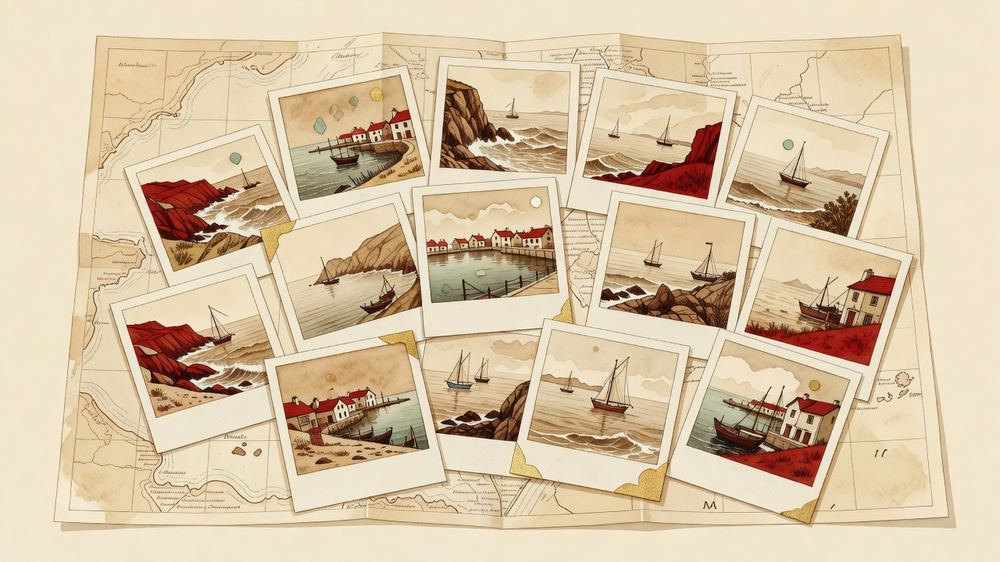
One photo per moment, attached through the Log a moment form. There is no gallery, no bulk upload, and no album — a photograph only ever exists as part of a moment.
When you save, your own browser quietly makes a small copy as well — 160 pixels on its longest side — and sends both. The full-size original is what appears in the big card on your page. The small copy is what gets stuck onto the calendar squares and the map pins, so a page with forty photos still opens quickly.
Where a photo turns up
- In the log — full width inside that moment's card.
- On the calendar — as a little tilted polaroid on that day's square. Up to two per day, plus a count if there were more.
- On the map — as a tilted snapshot standing in for the pin, but only if the moment also has coordinates.
If a photo shows in the card but not on the map or calendar
Those two places use only the small copy. If your browser could not read the file well enough to make one — an unusual format, or a very large image — the small copy is skipped and those two places quietly fall back to a plain dot. Re-saving the photo as an ordinary JPEG fixes it.
Limits worth knowing: 8 MB for a moment's photo, and formats JPEG, PNG, WebP or GIF. The separate Link preview picture (chapter 7) has different rules again: 6 MB, and no GIF.
5 Time, and how the page knows where you are
The line at the top of your public page — CURRENTLY AT — BANGKOK · NEXT LEG — CHIANG MAI — is not something you set. It is worked out. The rule is one sentence:
The current stop is the last moment in your list whose date and time have already passed.
Everything before it is the past, everything after it is the future, and the page lays itself out in those three sections: The route so far, Present position, Still to come. You never arrange them.
Which means the top line has exactly four things it can say:
| NO POSITIONS LOGGED YET | You have not logged anything. |
| NOT YET UNDER WAY — FIRST STOP: … | You have typed up an itinerary but nothing has happened yet. |
| CURRENTLY AT — … · NEXT LEG — … | Mid-trip. The normal state. |
| JOURNEY COMPLETE — … | The last moment's time has passed. |
A stop is a moment, not a stay
There is one time box, not an arrival and a departure. So a moment becomes "Present position" the instant its time passes, and stays that way until the next moment's time passes. The page will say you are in Bangkok right up to the minute you are scheduled to be somewhere else. If you want to show leaving, log a second moment.
Every moment keeps the clock of the place it happened in
You never set a timezone, and there is nothing to configure. Times are stored exactly as you type them, and each one is then read in the zone under its own pin on the map. So "19:00" on a Bangkok moment means seven in the evening in Bangkok, and "19:00" on a Seattle moment means seven in the evening in Seattle — which is what you meant both times.
Type the local time you actually experienced. Do not convert anything.
A moment with no coordinates has no zone of its own, so it borrows from the last located moment before it — a note written on a train belongs to wherever the train was.
The clocks at the top of the page
When a reader is in a different hour from you, a small row of clocks appears under your trip statistics: where you are, where you are heading next (marked · next), where you set out from (marked · started), and you — meaning whoever is reading. Each shows the current time there, and if it is a different calendar day it says which day.
They appear only when there is something to say. On a trip that never leaves one timezone, or for a reader who happens to be in the same hour as the traveller, the row is not drawn at all — two identical clocks side by side is a puzzle, not information. Zones are merged by the offset they are on today, so daylight saving is handled for you.
This is the answer to "is it a reasonable hour to call them?" — which is the question the people reading your travelogue are actually asking.
Countdowns
Every future moment shows how long until it happens. The very next one ticks live, every second, in a dashed red box: in 3d 4h 5m, or in 2h 15m 03s once it is under a day. At zero it reads happening now.
The page works out the tense once, when it loads. So on a tab you have left open, the countdown will reach zero but the card will not move sections and the top line will still name the old place until you reload.
Why "Distance traveled" looks too small
It deliberately stops counting at where you are now. Legs you have typed in for next week are drawn on the map but not added to the total, because the number means "how far so far", not "how far in the end". Days out works the same way: first moment to current moment.
Note also that the log book's ✓ Logged · N stops tally counts every moment including undated ones and sums all the miles, so it will be a bigger number than the public page shows. Neither is broken.
6 Making it look like you
The Look & feel box offers four tiles.
| Air Mail 1934 | Aged route card, red ink, a DC-3 riding the line. This is the default. |
| Noir | A stakeout report. Wet asphalt, one neon light. |
| Plain | Clean and modern. No aging, no texture, plain map. |
| Custom | Your own colours and type. |
Clicking a tile changes nothing for your readers
It only reloads the little preview window. Nothing is stored until you press USE THIS LOOK, which then confirms in words: "Saved — that is what visitors see now." The layout box below has its own separate SAVE LAYOUT button, and neither saves the other's settings.
Choosing Custom opens nine colour pickers named in plain English — Page, Cards, Rules, Text, Quiet text, The route, You are here, Ornament, Unknowns — four typeface menus, and a choice of how the map is tinted (Aged chart, Night, Plain). Colours stream into the preview as you drag them.
Two small surprises. The Plain theme deliberately removes the wax share seal and the compass rose — they are not broken, they are period costume that Plain does not wear. And the compass rose also disappears by itself on a geographically small trip, when the map is showing less than about a degree and a half of the world.
Turning parts of the page off
What appears on the page is nine tick-boxes, each with a plain-English hint:
| Trip stats | Stops · distance · days out |
| Manifest rail | The itinerary table |
| The map | The main chart |
| Closer-in views | Detail pages for clustered stops |
| Calendar | Month grids with photos |
| The log | Event cards with photos and notes |
| Replay button | Re-runs the route animation |
| Share seal | The wax-seal copy-link button |
| Mobile status bar | Sticky "currently at" bar on phones |
Underneath: which side the itinerary sits on, how tall the map is (Short, Normal, Tall), and arrows that reorder three blocks — the map, the closer-in views and the calendar. Only those three move; the header, the itinerary and the log are fixed.
Turning off The map also removes the Replay button, because the button lives inside the map.
Closer-in views
When several moments sit almost on top of each other, the site makes them their own detail page so that a week in one city is readable instead of seven pins in a pile. It does this for you: any group of stops within 60 km of each other, at least two of them, at most six groups, each named after the first stop's place name.
To take over, type a name in Closer-in views, tick the moments that belong in it, and press ADD THIS VIEW. Be aware this is all-or-nothing: adding one view of your own switches the automatic grouping off completely. Delete every one of yours to get it back.
Inventing a way to travel
The How you travel box lets you add your own. Give it a name (up to 28 characters), an emoji, a line style — Solid, Dashed, Dotted, Dash-dot, Ticked, Beaded — and how much it curves: Follows the ground, Curves a little, Arcs like a flight. Press ADD IT and dogsledding appears in the drop-down on the writing form.
If you later delete a custom mode, the moments that used it keep working but their legs quietly redraw in the plane style. Re-create it with the same name to get it back.
7 Sharing it — and keeping it private
Your page is public to anyone who has the link. It is not listed in a directory and nothing points at it, but it is not secret either. Sharing it is just sending the address.
The wax seal
On the public page, the card for the moment you are at right now carries a red wax seal marked SHARE. On a phone it opens the normal share sheet; on a computer it copies the address and a small black bar slides up saying link copied.
The seal only exists once your trip has actually started, because it is attached to the "Present position" card. Before your first moment's time has passed there is no seal — copy the address out of the browser bar instead.
The picture people see when you paste the link
The Link preview box controls the thumbnail that appears when your address is dropped into a text message, Facebook or Slack. Left alone it picks the photo of the moment you are currently at. To fix it to one picture, use Or upload one, choose a wide image (roughly 1200×630 works best; JPEG, PNG or WebP up to 6 MB) and press USE THIS.
Or pick one you have already posted from the Use a photo from the trip drop-down and press the same button. Wide pictures work best because that is the shape a message app crops to.

Putting a passcode on it
Who can see it is the privacy switch. Type a code of at least 4 characters and press LOCK THE PAGE. Visitors then need that code to read anything, your photographs are locked with the page, the data behind it is locked too, and search engines are asked to stay away.
Four things to understand before you lock it
- Know your passphrase first. If you got into the log book by signing in with your account rather than with the travelogue's passphrase, you will hit your own passcode wall on your own public page. Log in once with the passphrase before you lock it.
- The title is not hidden. Anyone who guesses the address sees the travelogue's name and the words "This travelogue is private." The contents are protected; the existence of it is not.
- A chosen link-preview picture is genuinely public. Preview images are fetched by anonymous crawlers that can never type a passcode, so choosing one publishes that one picture on its own. If you lock the page and choose nothing, the site shows no picture at all rather than leaking one.
- Taking the lock off re-publishes everything instantly.
Send the code to family separately from the link. A text with both in it is the same as not having a passcode.
Worth thinking about before you post
A travelogue can show where you are right now. If you are travelling alone, consider either setting a passcode, or logging each stop after you have left it rather than while you are standing in it. The site is quite happy to be a day behind.
A third option: pin the bigger place. A stop does not have to be your exact address — “Bangkok” tells your people everything they need to know, and nobody needs the name of your hotel. Log the city while you are in it, and sharpen the pins after you are home.
Photos play along. While the tick-box under the photo field is on, choosing a photo reads the hidden location and time your camera wrote into it — in your browser, before anything uploads — and fills in the empty pin, date and place name for you, with an undo. Untick it and nothing is read. Either way that metadata (GPS position, capture time, camera details) is stripped from the photo itself on the way up, so a downloaded photo can never say more than the pin you chose.
Two passwords, doing opposite jobs
| Passphrase | Yours. Lets you write. Asked for at /admin/your-name. At least 8 characters. Cannot be recovered. |
| Passcode | Theirs. Lets other people read. Set under "Who can see it". At least 4 characters. |
Attaching the travelogue to an account
If you created the travelogue before you had an account, sign in, come back to the log book, and press ATTACH THIS TRAVELOGUE TO MY ACCOUNT in the Who can edit it box. After that it appears at /me and the passphrase becomes a spare key rather than the only one. You can attach other people's accounts too, and each has a small × to remove them again.
8 Worked examples

Four real situations and exactly what to type.
Example 1 — The day you leave
You are flying out this evening and want the page to say so.
| Place | Seattle — Sea-Tac Airport |
| Date & time | 2026-08-03, 18:40 |
| Photo | the departures board |
| Coordinates | press look up coordinates — it finds Sea-Tac |
| How you got here | 🚗 Car |
| This is home | ticked — the journey starts here |
| Notes | Two bags, one of which I already regret. Rain, obviously. |
Why Car: because the mode describes how you arrived at Sea-Tac. The flight itself gets recorded on the next moment.
Example 2 — Landing somewhere
| Place | Tokyo — Haneda |
| Date & time | 2026-08-04, 21:15 |
| How you got here | ✈️ Plane |
| Notes | Eleven hours. Watched three films, remember none of them. |
What this does: the leg from Seattle to Tokyo now arcs across the Pacific like a flight, with its mileage on a little tag at the midpoint, and the aeroplane becomes the vehicle parked at the head of your route.
Example 3 — An ordinary afternoon
Not every moment is a border crossing. Most of the good ones are not.
| Place | Tokyo — Yanaka Cemetery |
| Date & time | 2026-08-06, 16:20 |
| Photo | the cats |
| How you got here | 🦺 On foot |
| Notes | Got lost looking for a temple and found a cemetery full of cats and old cherry trees instead. Sat on a wall for an hour. Best thing so far. |
Why this is the pattern to copy: a place, a time, one picture, and three honest sentences. Four of these a week make a travelogue worth reading. One enormous essay a fortnight does not.
Example 4 — Something you have not done yet
You can log the future. It is one of the nicest things about this.
| Place | Kyoto — Fushimi Inari |
| Date & time | 2026-08-11, 06:00 |
| Photo | leave empty |
| How you got here | 🚂 Train |
| Notes | Before the crowds, if I can make myself get up. |
What your readers see: a quieter dashed card under Still to come, stamped PROVISIONAL, with a live countdown ticking down to it and a NOT YET box where the photograph will go. Come back afterwards, press edit, and add the picture.
How often should you post?
Once a day is plenty; three times a week is fine. The thing that kills a travelogue is not infrequency, it is the feeling that each entry has to be finished writing. A place, a photo and one true sentence is a complete moment. You can always press edit later and say more.
Practical note: posting a new moment is also the only thing that keeps the journey from closing itself — see chapter 9.
9 When you get home

Closing the journey
At the top of your log book, THE JOURNEY HAS ENDED marks the trip finished. It asks first, and the message explains rather than warns, because this is not deletion:
The page stays exactly where it is and everyone keeps their link — it just stops taking edits. You can reopen it any time.
That is exactly true. Nothing is removed, the address still works, and your readers see no difference at all — there is no "this trip has ended" banner. Only you can tell. REOPEN THE JOURNEY undoes it, as often as you like.
If you stop posting, it closes itself after 90 quiet days — and nobody emails you
There is no warning email, no reminder and no notice of any kind. You find out by opening the page. The only countdown that exists is on the status card at the top of your own log book.
What resets the clock is posting a new moment — and only that. Editing old entries, changing the colours, changing the layout and setting a passcode all leave it running. A month of tidying up leaves you a month closer to closing.
The clock starts at your first moment, not at purchase, which is why an unused ticket can sit in a drawer for a year.
Taking a copy you keep forever
Add /keepsake to the end of your public address:
the-places-you-will-go.com/sites/your-name/keepsake
Your browser downloads a single zip. Inside is index.html, a README.txt, and a photos folder containing every full-size original exactly as you uploaded it, under tidy numbered names like 003-bangkok-chatuchak-market.jpg. Double-click index.html and the whole travelogue opens — title, statistics, a drawn route chart, the itinerary and every entry with its photograph — with no internet, no account and no map service involved. Nothing in it phones home.
There is no button for this
Nothing on your page or your log book links to it. You have to type the address. It works — it just has no door. Two other things to know: the zip contains your full-size originals, so a long trip can run to tens of megabytes (do it on a computer, not a phone); and anyone who can read your page can download one. That is deliberate — the point is that the copy survives even if you do not — but it means giving family the passcode also gives them every photograph.
Do this at the end of every trip, and once in the middle of a long one.
Deleting things
Individual moments go with remove, which takes their photographs with them. There is no button anywhere that deletes a whole travelogue, an account, or all your photographs at once — for that, or for a copy of your data, email seansp@saasaas.llc from the address on your account.
10 When something goes wrong
Report it from the log book
A small oval button marked ⚑ Report a bug is pinned to the bottom-right corner of your log book. Press it and describe what happened; the "what happened" box is the only required one. You can attach a screenshot with the file picker, or simply take a screenshot and press Ctrl+V / Cmd+V with the panel open.
Above the buttons is a small grey strip beginning Sending with: — that is exactly what is being attached besides your words: the page address, your travelogue's name, your window size, your browser, your time zone, the page you came from, and the last few script errors. Not your cookies, not your data, and no automatic photograph of your screen.
Press SEND IT and you get a number back: Thank you — logged as #41. Write it down — it is your only reference, no acknowledgement email is sent, and quoting it later is the fastest way to be found.
Two things about bug reports
The button exists only on your log book — not on your public page, not on the homepage, not on checkout, not on sign-in. If the thing that broke was on one of those, email instead.
Report it before you reload. The page collects script errors as they happen, and reloading throws them away — which is usually the most useful part of the report.
Messages you might meet, and what they mean
| On screen | What it means |
|---|---|
| Place is required (up to 200 chars). | The Place box was empty, or over 200 characters. Nothing was saved. |
| Photo must be JPEG, PNG, WebP, or GIF. | Usually an iPhone HEIC. Export as JPEG. |
| Photo too large (8 MB max). | Shrink it, or use a smaller export. |
| Latitude/longitude must be a valid pair, or both empty. | You filled in one coordinate box and not the other. |
| not found — enter coordinates manually | The map service did not recognise the place name. Type the numbers, or simplify the name. |
| This journey has been closed. Reopen it to make changes. | 90 quiet days passed, or you closed it. Press REOPEN THE JOURNEY at the top. |
| Wrong site name or passphrase. | It will not say which half was wrong. If you have an account, use SIGN IN WITH AN ACCOUNT instead. |
| That code did not work. | A visitor typed the wrong passcode. |
| That name is taken — pick another. | Somebody already has that web address. |
| That name is reserved — pick another. | You picked one of the site's own words — help, about, admin and so on. |
| This link has expired or has already been used. | A password-reset link. They last 45 minutes and work once; asking for a new one kills the old one. |
| Could not reach the server. | Your connection dropped mid-request — not a refusal. On a save, check whether it went through before trying again. |
| 🧭 Lost? / There's no travelogue named "…" here. | A mistyped address. Your travelogue is fine; check the spelling. |
Things that look broken and are not
- The page jumps a few seconds after loading. On the first visit it scrolls itself down to the current moment. Deliberate.
- The route animation will not replay on reload. It runs once per browser session. Use ↻ REPLAY THE ROUTE under the map.
- Scrolling over the map does not zoom it. Also deliberate, so readers can scroll past. Use the + and − buttons, or pinch.
- "Read the map plainly" seems to do nothing. On the Plain theme there is no aging to strip, so the button has nothing to remove.
- Your email never arrived. "If a ticket is waiting for that address, it is on its way again" is said whether or not anything was found — deliberately, so strangers cannot discover who has an account here. A silent inbox may mean there was nothing to send. Check the address you actually used.
- "remove" does nothing. The journey is closed. Reopen it first — the refusal is unfortunately invisible.
Everything else
There is no chat, no phone number and no ticketing system — just seansp@saasaas.llc. Deleting a travelogue, getting a copy of your data, a payment that went wrong, or a passphrase you cannot recover all go there. Email from the address on your account and quote your travelogue's name.
The words this site uses
- Travelogue
- Your whole trip page. One trip, one travelogue, one address.
- Moment / stop
- One entry: a place, usually a time, usually a photo, some words. The same thing under two names — "moment" in the log book, "stop" on the map.
- Log book
- Your private writing page at /admin/your-name.
- Manifest
- The list of your moments in order. In the log book it is the editing list; on the public page it is the itinerary table down the side.
- Ticket
- What buying gets you. The right to create a travelogue. Printable, giftable, and marked "issued to bearer".
- Token
- An unspent ticket sitting in your account. (Confusingly, "token" also means the long secret string in a link — you will only see that in an address bar.)
- Bearer
- Whoever is holding the ticket. The site never checks identity — holding the code is the permission.
- Site name / slug
- The short lower-case word in your web address.
- Passphrase
- Your password for one travelogue's log book.
- Passcode
- The optional code visitors need to read a private page. A different thing entirely.
- Dispatch
- The all-caps status line under your title.
- Leg
- The drawn line between two consecutive moments. Its style comes from the travel mode on the moment it arrives at.
- Bow
- How much a leg curves. Flights arc; walking stays flat.
- No fix
- A moment with no coordinates. It exists everywhere except the map.
- Undated
- A moment with no date. It sits under "Not on the route" and is excluded from the timeline.
- Origin / home
- The one moment you tick as where the journey starts.
- Closer in
- A zoomed-in detail page for a knot of nearby moments.
- Stamp
- The rubber-stamp badges on a card: PRESENT POSITION, PROVISIONAL, UNDATED, NO FIX.
- Seal
- The red wax button marked SHARE.
- Chit
- The little paper tag on a leg showing its distance.
- Route card
- The site's own name for your public page.
- Keepsake
- Two things: the zip you can download and keep forever, and what a closed journey becomes.
- Live / closed
- Live takes new writing. Closed does not. Same address, same readers, nothing deleted, and reversible.
One-page reference
Tear this bit out.
Your two addresses
/sites/your-name — the public page. Share this.
/admin/your-name — the log book. Write here.
/sites/your-name/keepsake — download everything.
/me — all your travelogues.
The daily job
Log book → Log a moment → Place, Date & time, photo, look up coordinates, how you arrived, a few words → ADD TO THE ROUTE.
Limits
Place 200 characters (refused if longer)
Notes 4,000 characters (cut silently)
Photo 8 MB · JPEG, PNG, WebP, GIF
Link preview 6 MB · JPEG, PNG, WebP
Passphrase 8+ · Passcode 4+
Custom views 12 · Custom travel modes 24
The five rules that surprise everybody
- Travel mode is how you arrived, so it goes on the destination.
- No date means the moment is off the trip entirely.
- Both coordinates or neither — half a pair refuses the save.
- remove is instant, silent and final, and takes the photo with it.
- Only posting a new moment holds off the 90-day auto-close.
- Type the local time you were there. Each moment is read in the zone under its own pin — never convert anything.
Two passwords
Passphrase — lets you write. Cannot be recovered.
Passcode — lets others read. Set under "Who can see it".
Nothing saves until you press the button
Theme → USE THIS LOOK
Layout → SAVE LAYOUT
They are separate buttons and neither saves the other.
Help
⚑ Report a bug, bottom-right of the log book — before you reload.
Anything else: seansp@saasaas.llc
Now go somewhere and write it down.
The Places You Will Go is made by SaaSaaS, LLC at sean-makes-stuff.com · © 2026 SaaSaaS, LLC
Guide version 1.5 · download this as a PDF
© 2026 SaaSaaS, LLC · made at sean-makes-stuff.com